Free Image Effects & Filter App
If you're looking for a free image effects and filter app to turn a plain photo into something distinctive (glitch, retro, printed, or dreamlike), Ditther gives you 75+ effects to apply online, directly in your browser, with no install and no account needed to start.
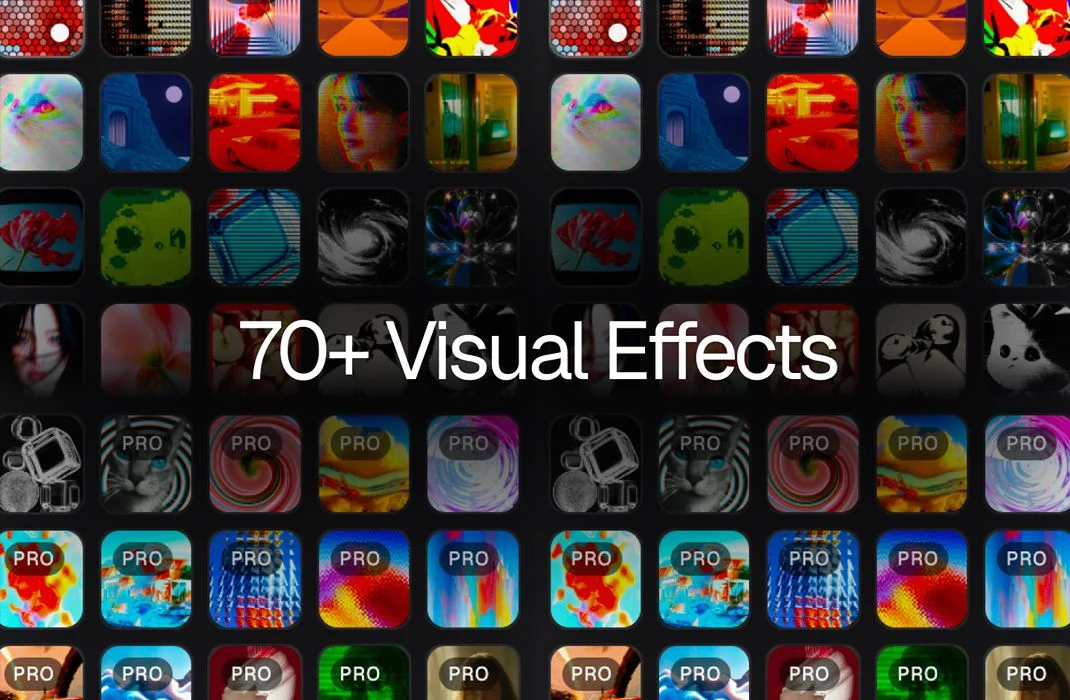
A sample of Ditther's 75+ image effects, each fully adjustable and ready to apply to your own photo.

Quick answer
Ditther (app.ditther.com) is a free, browser-based image effects app with 75+ effects, including dither, ASCII, halftone, VHS, glitch, and chromatic shift. Upload a photo, apply any effect instantly, and export it. No software install and no sign-up required to start.
Most "photo effects" apps give you a dozen presets and call it a day. Ditther takes a different approach: it's built as a full creative playground, not just a filter picker. You get 75+ distinct image effects, spanning pixel and dither styles, print and analog looks, glitch and distortion, and color and light treatments, plus text, shapes, masking, layers, and animation, so an effect is a starting point rather than the whole result. Everything runs online in the browser, which means there's nothing to download and no plugin to manage before you can start experimenting.
75+ image effects, organized into families
Instead of one long unsorted list, Ditther groups its effects into recognizable families: pixel/retro, print/analog, glitch/distortion, and color/light. That makes it easy to find the look you're after. Here are 20 of the most-used effects to give you a sense of the range:
This is a sample, not the full list. Open Ditther to browse every effect by category and preview each one on your own image.
Every effect in Ditther is fully adjustable: most expose several controls (intensity, palette, grain, contrast, and effect-specific parameters like pixel size or scanline density) rather than applying a single fixed look. You can also stack multiple effects on the same image, which is where the app moves past "filter" territory. Dither plus duotone plus a light leak reads very differently from any one of those effects alone.
What these effects actually look like
Because "image effects" can mean very different things depending on the app, here's a direct look at four effects side by side with their original photos: retro game styling, ASCII character art, thermal color mapping, and dither pixel breakup.
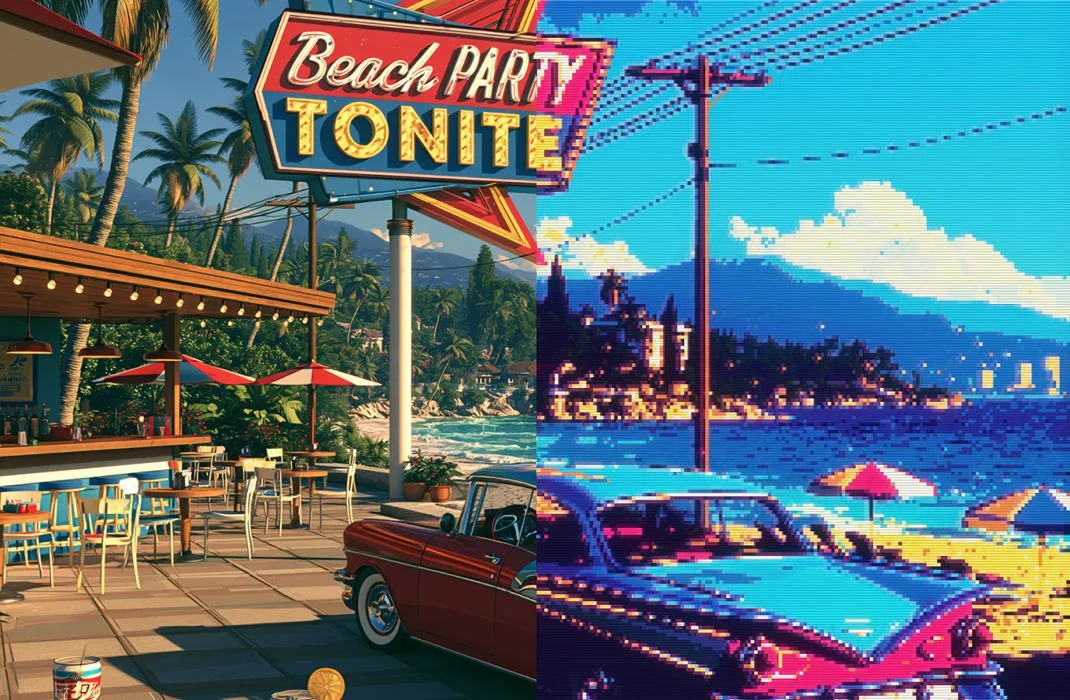
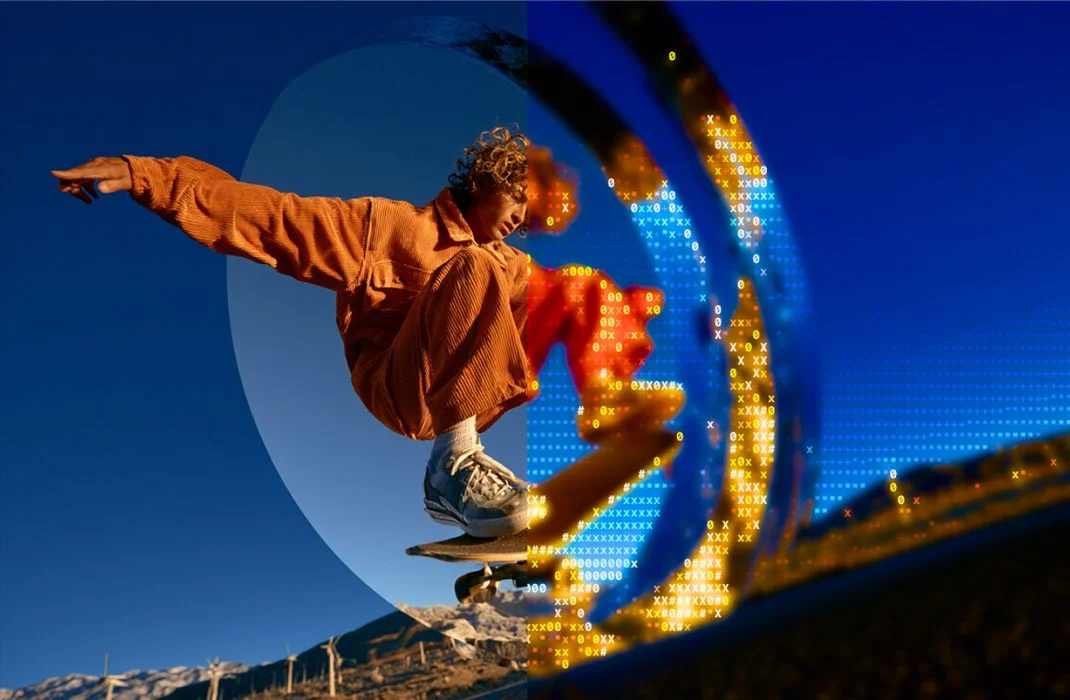
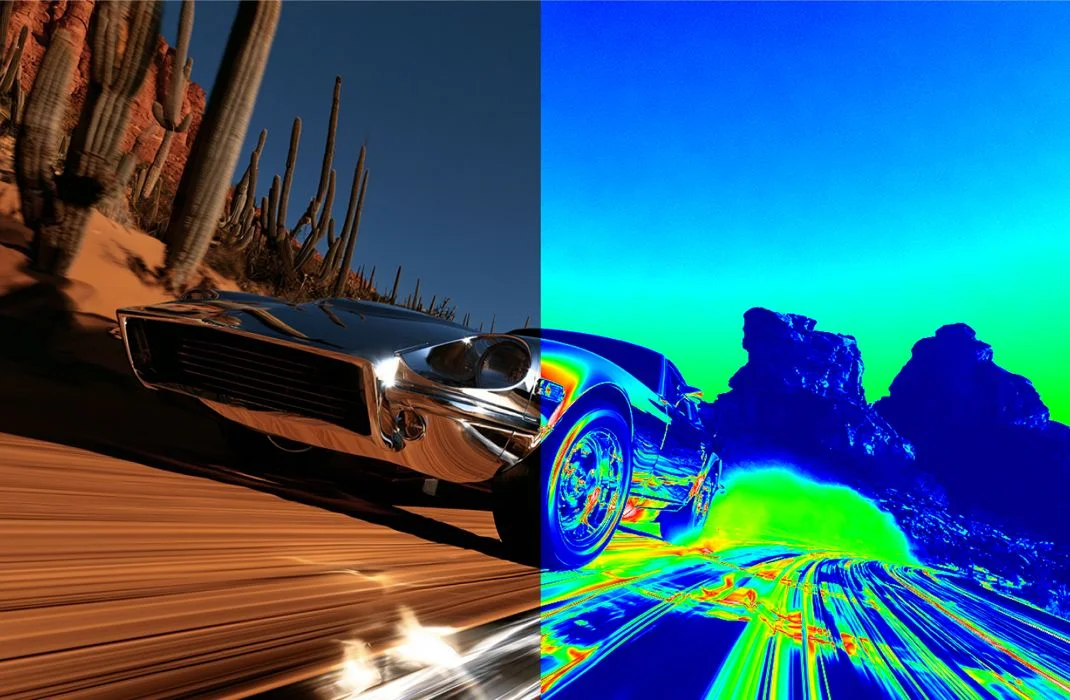
Left to right: Retro Game, ASCII, Thermal, and Dither. Four of Ditther's 75+ effects, each from a different visual family.
More about these effects
Dither breaks smooth tonal gradients into ordered pixel noise for a textured, retro look. It's one of the most searched dithering effects online, closely tied to the classic Game Boy and lo-fi digital art style. Ditther supports both Floyd-Steinberg and Bayer dithering, so you can choose an organic noise pattern or a structured grid.
ASCII turns any photo into text-character art by mapping brightness to characters instead of pixels. It's a popular image-to-ASCII-art effect for portraits, since the character grid still reads as a face even at low density. Ditther includes multiple character sets, from classic terminal symbols to numeric, Japanese, and custom sets.
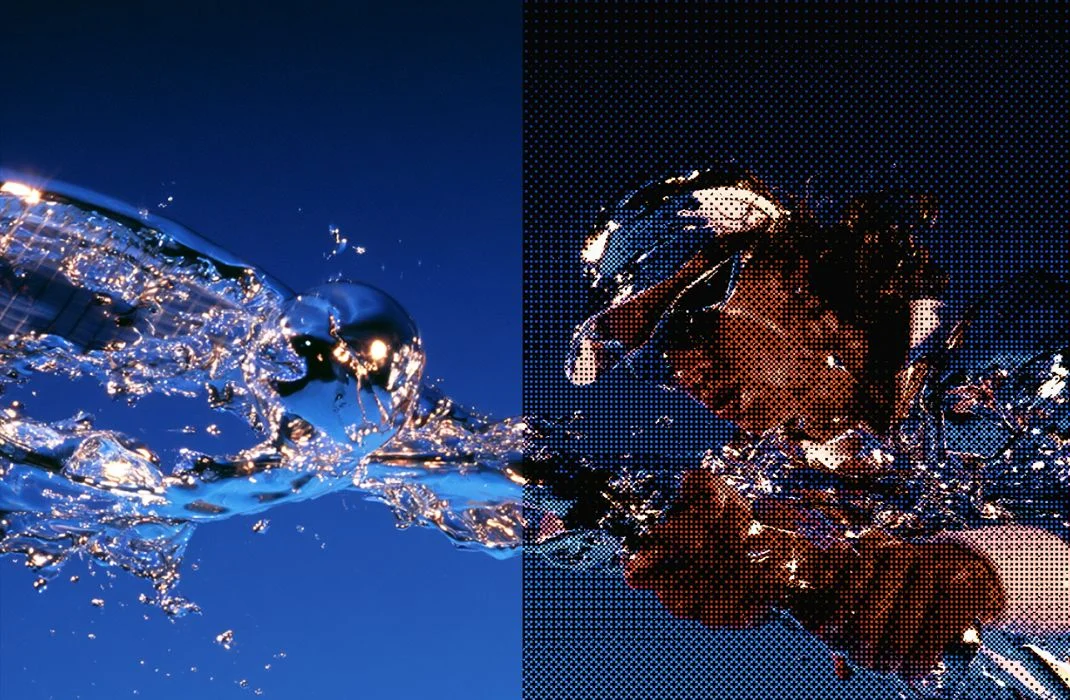
Halftone maps tones to repeating dot patterns, like a print screen. It reads less "lo-fi game" and more "vintage magazine," good for images that should feel printed rather than photographed.
Pixel Art simplifies a photo into blocky, low-resolution shapes for a graphic pixel art effect. It suits portraits, posters, and game-inspired image treatments. Unlike Dither, Pixel Art favors clean flat shapes over noise texture.
LEGO reconstructs the image from bold, interlocking LEGO-style blocks. It's a playful pixel mosaic effect that works best on high-contrast, colorful subjects, turning an ordinary photo into a toy-like graphic for posters or social content.
Voxel builds the image from chunky, 3D-style blocks that add depth and volume, blending pixel art with a voxel-rendering look. It suits portraits and product shots that benefit from a stylized, dimensional feel.
Risograph recreates the layered, slightly misaligned ink look of riso print effects. It's a favorite for zine-style posters and gig graphics. Combine it with Duotone or Halftone for an even stronger printed texture.
VHS adds tape-style distortion, color bleed, and tracking noise for a 90s camcorder look. It's one of the most-searched retro/analog effects, and a natural pair with Scanlines and CRT.
CRT adds curved scanlines, screen glow, and pixel-grid distortion for a retro CRT screen effect. It's a natural companion to VHS and Scanlines when building a full analog television look.
Light Leak simulates warm, uneven film light bleeding across the frame, like light hitting exposed film. It's a subtle way to add analog film warmth to a photo without a heavy retro overhaul.
Motion Blur adds directional or radial blur to suggest movement and speed. It's useful for turning a static photo into something that feels like a still from motion, and pairs well with Chromatic Shift for a glitchy action look.
Duotone reduces the image to two dominant tones for a bold, high-contrast color effect. It's one of the most flexible color treatments in Ditther, and a strong base layer to combine with Dither or Halftone for a cleaner graphic result.
Posterize reduces the number of color tones in the image, flattening smooth gradients into visible color bands. It gives photos a graphic, screen-printed feel and works well for bold poster-style compositions.
Fisheye bulges the image outward from the center for a wide-angle, curved-lens look. It's a classic fisheye lens effect useful for adding energy and distortion to portraits or action shots.
Mirror reflects part of the image across an axis to build symmetry, turning an off-center subject into a balanced, poster-ready graphic.
Chromatic Shift (often searched as "chromatic aberration" or "RGB split") offsets the red, green, and blue channels for a glitchy, lens-fringe look, from a subtle nudge to a full color-split break.
Pixel Sorting sorts pixels along rows or columns by brightness or color, creating streaked, glitchy distortion. This is the term most people search for what Ditther calls Pixel Stretch, and it's a strong choice for glitch art and experimental compositions.
Scanlines overlays horizontal scan lines across the image for a retro screen or monitor look. It's often layered with CRT and VHS for a complete analog display effect.
Bloom adds a soft, glowing spread around bright areas of the image, mimicking how light blooms through a camera lens. It's a quick way to give photos a dreamy, cinematic quality.
Neon boosts glow and saturation around bright edges for a neon-sign-style look. It suits night photography, portraits, and posters that want a vibrant, electric feel.
Key takeaways
- Ditther is a free, browser-based image effects and filter app. No install, no account needed to start.
- It includes 75+ effects across pixel/retro, print/analog, glitch/distortion, and color/light families.
- Most effects have adjustable controls (intensity, palette, grain, and more), not just an on/off toggle.
- Effects can be stacked, and combined with text, shapes, masking, layers, and animation.
- You can preview any effect instantly on your own photo before exporting.
Start with Ditther
The fastest way to understand what these 75+ effects actually do is to try one on your own photo. Upload an image, click through a few effects, and adjust the controls until the look feels right. No tutorial required to get a usable result.
Upload any image and try 75+ effects in real time. No account needed to start.
Open Ditther and try an effect →Common questions
Is Ditther really free?
Yes. You can upload a photo and apply the core effects for free in your browser. A paid PRO tier unlocks additional effects, higher-resolution export, and extra customization for people who want more control.
Do I need to install anything?
No. Ditther runs entirely in the browser at app.ditther.com. There's nothing to download and no plugin required.
Can I use these effects on video, not just photos?
Yes, many of Ditther's effects also work on video and can be exported as motion visuals, not just static images.
Can I combine multiple effects on one image?
Yes. Effects can be stacked, and combined with text, shapes, masking, layers, and gradients to build a finished composition rather than a single filtered photo.